
Overview
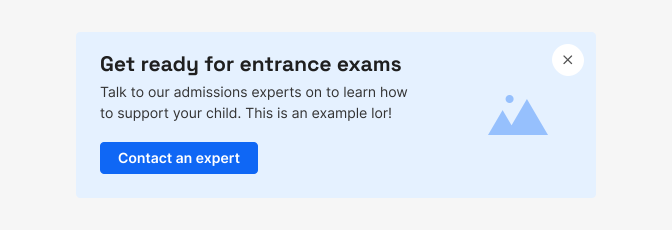
The promo banner is a component used to display an important message with the goal of pushing the user towards a promotional or product-related action.
By using illustrations and bold typography, the banner is useful to capture the attention of the user and communicate key information in an engaging way without interrupting their flow.
When to use
The promo banner should communicate an actionable message to the user in a short and concise manner. The title, description, illustration and CTA should all clearly explain the goal of the banner and motivate the user to complete the desired action.
Banners should be used sparingly and only in situations when the message has a suitable importance, in order to maintain a logical hierarchy within a layout and to avoid overwhelming the user.
Only one promo banner should be shown per page at a time. When multiple banners need to be used in the same place, only the most important one should be displayed (or the one that can be currently actioned).
If the message of the banner is not actionable or important to the context of the product, consider using another component to communicate it to the user, such as an in-line or a section message.
Use of banner variants
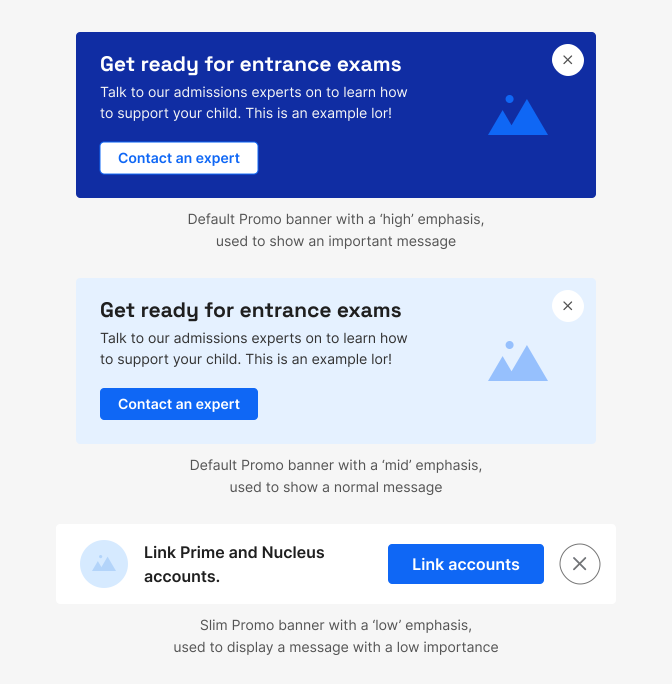
The promo banner has several variants in terms of size and colour, which should be used depending on the goal and importance of its message.
Size
For a more visually engaging design that attracts the user’s attention, the Default variant of the banner is more suitable, allowing for a larger illustration and bigger-sized typography. If the message is lower in priority compared to the rest of the content, or does not need to engage with an illustration, use the Slim variant.
Color
The promo banners also have three variants in terms of colour, which offer different levels of contrast within each layout.
Banners with a ’high’ emphasis use darker background colours and are meant to stand out from the rest of the content, so should only be used to communicate highly important messages.
The ‘mid’ variant should be suitable for most scenarios, as it offers a comparatively lower level of contrast, while still standing out from most of the content within the app.
Finally, the ‘low’ emphasis variant is designed to blend with the rest of the containers within the app, so should be used only when it doesn’t require a lot of attention. In such cases, consider the message you want to communicate and if the promo banner is the most suitable component for your goals (e.g. is the message actionable, is it related to a particular component on the page or is it more general, etc.).
Image
* Guidelines to be defined

Interactions
As the promo banner component itself is not interactive, the only interactions with the user it allows are through its CTAs and close button.
The user should always have the ability to dismiss the component when they don’t want to see it via the close button (with some exceptions mentioned below). Suitable logic for each use case can be utilised to show the banner again after some time has passed, but it’s important that the user is not overwhelmed by notifications and marketing content on the platform.
In some existing product-related scenarios, where the message of the banner is of extreme importance to the user and an immediate action is required, the banner may be non-dismissable. Such use cases should be considered carefully and used very sparingly - for example, this is suitable for when a teacher requires an action from their student, but not when Atom suggests that a parent upgrades their account.
Promo banners may have either 1 or 2 CTAs. These buttons should follow the existing DS button guidelines in terms of hierarchy, colour and contrast and should have short and clear copy.
Copy
The copy used in the title and description of each promo banner should be short and concise, making sure that the message is clear to the user without any unnecessary information.
Copy length should be checked on the smallest possible size of the promo banner to ensure the component has a reasonable size and doesn’t overwhelm, compared to the other components on the page.
Do's and Don'ts
Do
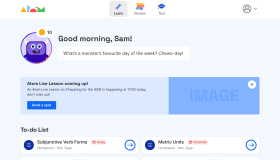
Make sure to show only one promo banner per page at a time
Don't
Never use the promo banner to communicate unimportant information or messages that require other context
Do
Always use the relevant size and colour variant that fits the message you want to communicate
Avoid
Avoid having overly long copy within a banner