
Overview
An input control that enables the user to select or deselect a value, usually within a set of predefined options.

When to use
Primarly for use in forms, checkbox are used when the user may select any number of choices, including zero, one, or several.
Used when the selected settings do not have immediate effect, these require confirmation.
Behavior
Each checkbox can be toogled on and off by clicking, tapping in touchscreen devices, or by keyboard through tabbing and pressing the ‘Enter’ key, on either the box area or its label.
Checkboxes can be used singularly, like a switch, or in groups. Each checkbox is independent of all other checkboxes, so checking one box doesn't uncheck the others.
Switches are different from checkboxes because they will trigger the state change directly, but Checkbox just marks the state as changed and this needs to be submitted.
In most cases the checkboxes are blank by default, so users must actively click to activate it.
Grouping
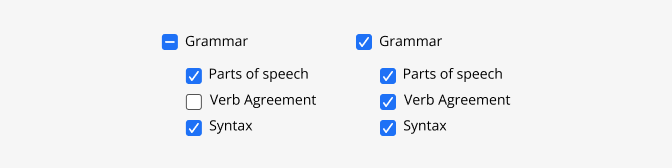
When checkboxes are presented in a group in a form, there should be at least a global label if no other description is present, stablishing the relation between the elements in a simple brief manner with no more than 2 or 3 words.
Do's and Don'ts

Do
In groups, allow users to select more than one choice.

Don't
Use for mutually exclusive options, in that case use a radio button instead.

Do
Label should be short, descriptive, and possitive. Users should know what will happen if they check a particular box, and what will happen if not.

Don't
Use negative wording that may confuse the user. If you need to do this is better to have two radio buttons with each of the two cases.

Do
Start labels with a capital letter

Don't
Include punctuation after checkbox labels

Do
Leave the checkboxes blank by default, so users must actively click to activate it.

Don't
Use the selection of a check box to perform commands or display other windows
Do
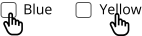
Include both the box and label in the selection target so users have larger target area to interact with.