
Structure
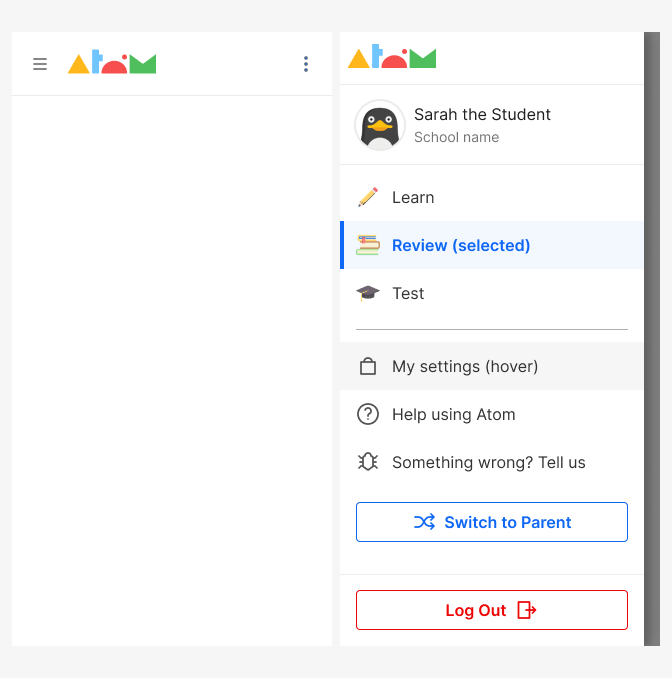
A side panel on the left side of the screen, which lets users navigate the content of a product. It is collapsed and appears overlaid on top of a page and slides in from the side triggered by the hamburguer menu button.
Overlay
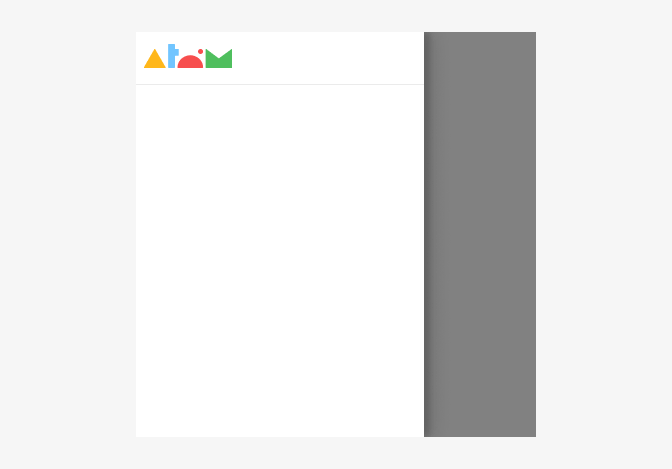
When a Drawer is triggered, an overlay is displayed behind it in order to visually differentiate the panel from the rest of the view. Clicking or tapping on the overlay is one way to dismiss the panel.
Sections and scroll
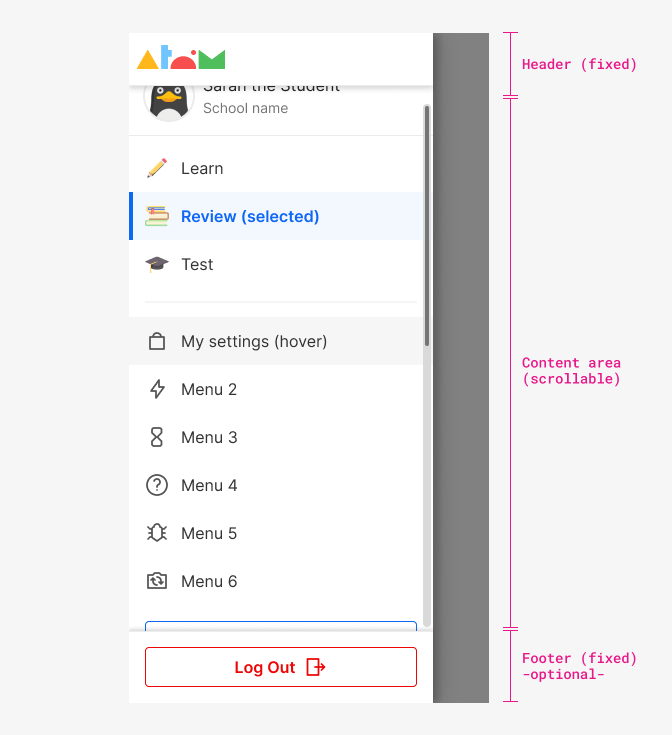
By design, a drawer's height will never exceed 100% of its container. As such, drawers will not scroll with the page to ensure the header and footer are always accessible to the user.Background (app) is not scrollable while drawer is open (position: fixed).
The header and content are always needed but the fixed footer is optional for each product to decide if they need one.
Header and footer display a shadow after scroll (see Topbar component).
Size
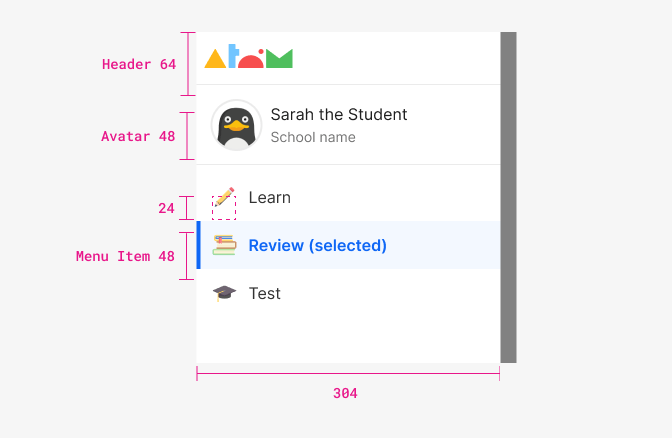
| Property - element | Token | px | rem |
|---|---|---|---|
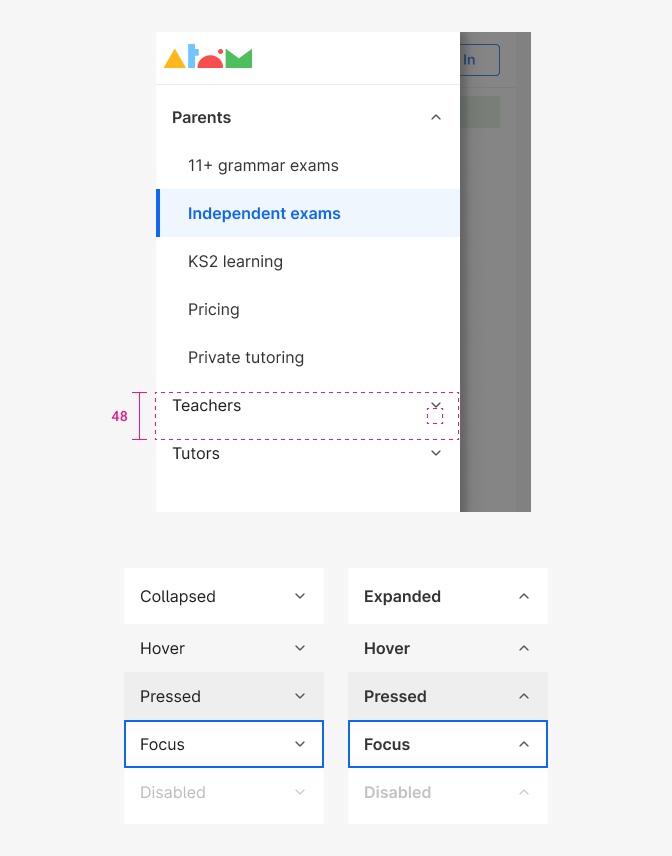
| min-height - Menu item | size $5 | 48px | - |
| size - Icons | size 'md' | 24px | - |
| width - drawer panel | - | 304px | - |
Margins and paddings
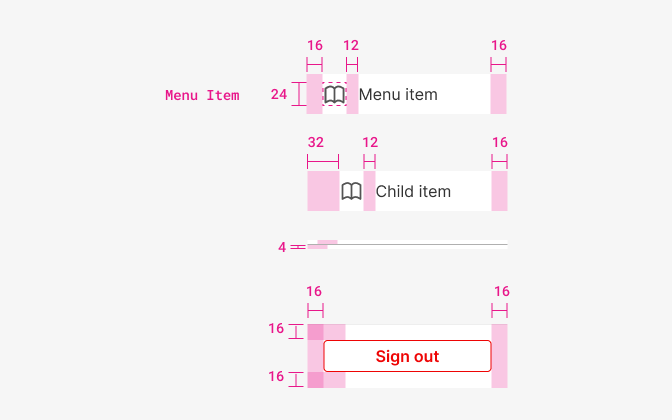
| Property - element | Token | px | rem |
|---|---|---|---|
| Padding left & right | space $4 | 16px | 1 |
| Padding left - Children | space $5 | 32px | 2 |
| Margin right - Icon | space $3 | 12px | 0.75 |
| padding top & bottom - divider | space $1 | 4px | 0.25 |
| padding top & bottom - container | space $2 | 8px | 0.5 |
| Padding top & bottom - elements (button, input...) | space $2 | 8px | 0.5 |
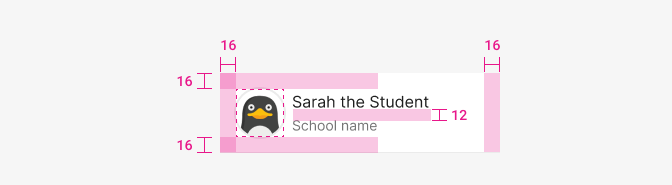
| Property & element | Token | px | rem |
|---|---|---|---|
| Padding - all | space $4 | 16px | 1 |
| Margin-right - Avatar | space $2 | 8px | 0.5 |
Accordion (Submenu)
When a menu item have children it acts as an accordion. Styles are consistent with regular menu items except when specified.
Typography
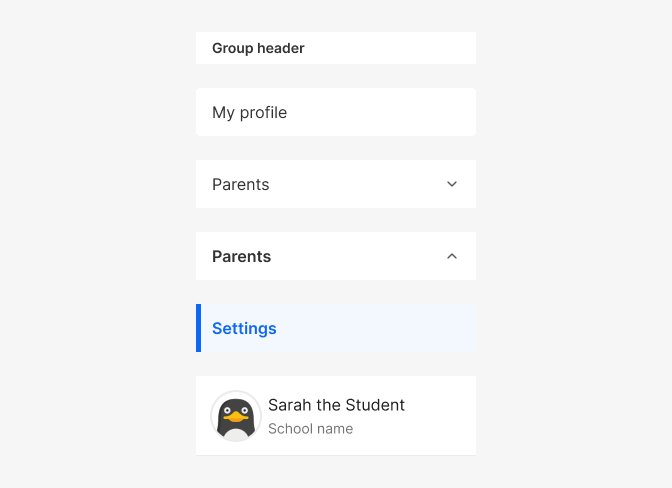
| Element - state | Family | Weight | Size | Rem | px |
|---|---|---|---|---|---|
| Group header | $body | 600 | $sm | 0.875rem | 14 |
| Menu item | $body | 400 | $md | 1rem | 16 |
| Menu item (selected, expanded) | $body | 600 | $md | 1rem | 16 |
| User name | $body | 400 | $md | 1rem | 16 |
| User description | $body | 400 | $sm | 0.875rem | 14 |
Color
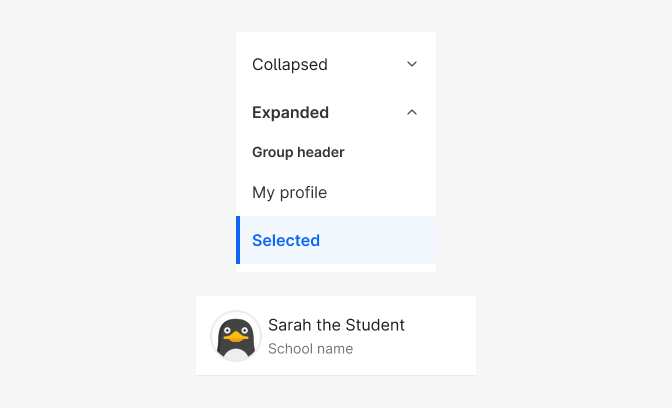
| Property & Element - State | Token | Hex |
|---|---|---|
| Font color - group header & menu item | $grey900 | # |
| Font color - menu item selected (all states) | $blue800 | # |
| Font color - User name | $grey1000 | # |
| Font color - User description | $grey600 | # |
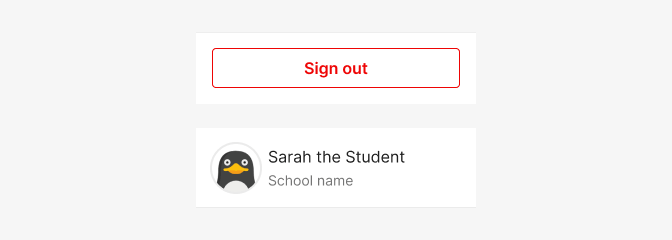
| Property & Element - State | Token | Hex |
|---|---|---|
| Border-color - Footer (1px top) | $grey200 | # |
| Border-color - User card (1px bottom) | $grey200 | # |
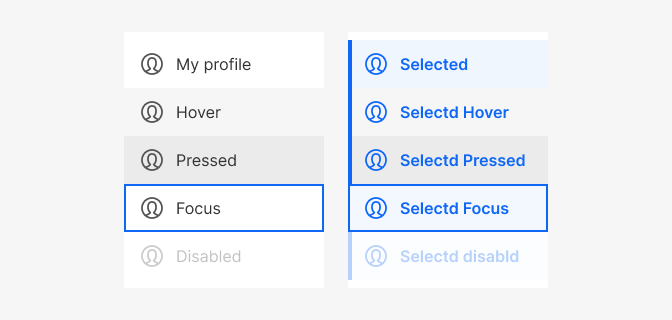
| Property & Element - State | Token | Hex |
|---|---|---|
| Bg color - Container | $white | # |
| Bg color - Menu item - default, focus | $white | # |
| Bg color - Menu item - hover | $grey100 | # |
| Bg color - Menu item - pressed | $grey200 | # |
| Bg color - Menu item - Selected default, focus | $blue100 | # |
| Border-color - Menu item - focus 2px | $blue800 | # |
| Icon-color - default | $grey800 | # |
| Icon-color - selected | $blue800 | # |
| State - element | Value |
|---|---|
| Disabled - all elements | 30% opacity |
| Property - element | Token |
|---|---|
| Effects shadow - container | shadow $2 |
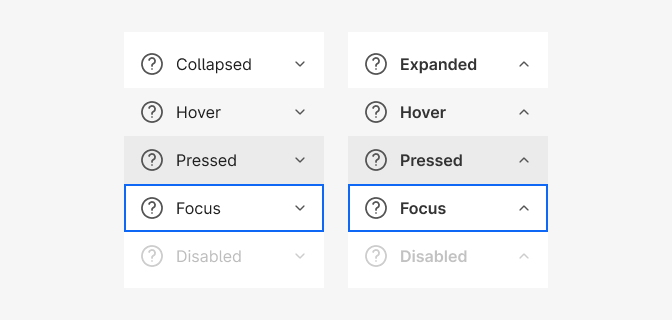
| Property & Element - State | Token | Hex |
|---|---|---|
| Bg color - Container | $white | # |
| Bg color - Menu item - default, focus | $white | # |
| Bg color - Menu item - hover | $grey100 | # |
| Bg color - Menu item - pressed | $grey200 | # |
| Bg color - Menu item - Selected default, focus | $blue100 | # |
| Border-color - Menu item - focus 2px | $blue800 | # |
| Icon-color | $grey800 |
| State - element | Value |
|---|---|
| Disabled - all elements | 30% opacity |
| Property - element | Token |
|---|---|
| Effects shadow - container | shadow $2 |