
Overview
Inputs are used to ask for information from users, allowing them to enter short content and data. Inputs can be group together to create forms.

When to use
Use input field to ask users for information in the form of open numbers or text.

States
Inputs involve different states that will help users easily detect what’s expected from them. Placeholders provide examples, focus makes the selected input stand out in a form and error states easily guide the user through the step to complete in order to move on.

Default state with placeholder - User hasn’t still filled in the text

Focus state - input is selected

Default state - Input is filled

Disabled state - User isn’t allowed to edit this input

Error state - user is trying to move forward before completing the required information
Do's and Don'ts
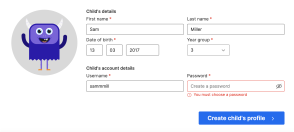
Do
Clearly show which input isn’t allowing users to move on.
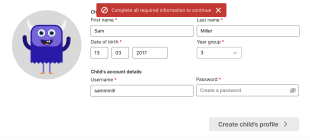
Don't
Show an error in the form without indicating what specific input it’s about.
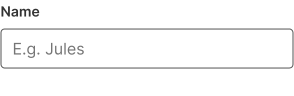
Do
Use a clear label or an example placeholder so users can easily understand what’s being asked from them
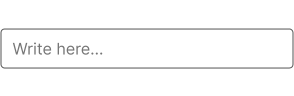
Avoid
Generic and unclear inputs
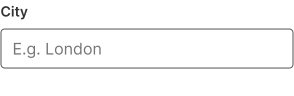
Do
Use clear and visible labels aligned to the left
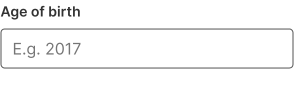
Do
Provide the demanded format in the placeholder