
Overview
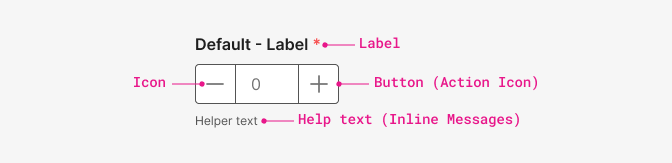
An Input control for editing a numeric/quantity value with increment and decrement buttons next to it.
The buttons requires less effort from the user than selecting the input field, tapping the digit “2” on the keypad, and hitting Enter or dismissing the keyboard. For example, to increase the number of students from 1 to 2 in a form, the user only needs one tap on the plus button.
When to use
To make the already laborious task of filling out forms as easy and intuitive as possible we have designed this input field to reduce input effort for fields with values that deviate little from the default by allowing users to increase or decrease the number in a single button press.
- Use when you need to incrementally change a value.
- Use when values are tied to a unit of measure.
- Don't use for binary settings.
- Don't use for a range of three values or less (use toggle group instead).
The user can choose to type or click to their desired number.
The buttons work best for numbers between 0 and ~10. More than that, and it can get very laborious for the user to click through, and it’s better to use the input.
If you expect the user to deviate substantially from the default, use a regular input without buttons.
Number Input should always have a default. The default will usually be ‘1’. Sometimes, you will have steppers defaulted to ‘0’ too.
State
The default state allows the user change the number using the buttons.

Disabled means that the numeric stepper is disabled and that you can’t change its value. It may be disabled due to business rules or because the user needs to select something else first.

Do's and Don'ts
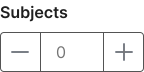
Do
Your numeric indicator should always be paired with a label so that users know how to complete the field.
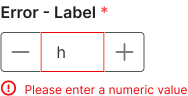
Don't
Allow other characters than numeric values.
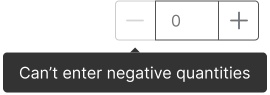
Do
When a button is disabled show a tooltip on hover explaining why.
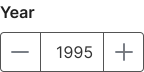
Avoid
Avoid this control for values with large range. Use a slider or regular input without buttons instead.
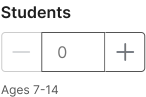
Do
Clarify the step value and the stepper range.
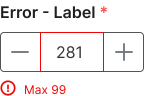
Don't
Allow users enter a bigger than the max value if there's one.