
Overview
Switch is an UI component that allows users to switch between two states or options.
In some cases, the switch may also have an indicator that displays the current state or a label to help users understand the purpose of the switch.
The switch component is often used in settings where users need to turn on or off a feature or enable/disable a setting.
Additionally, users with visual impairments or motor disabilities may have difficulty using the switch component, so we should ensure that there are alternative methods of toggling between states, such as using keyboard shortcuts or voice commands.
Overflow
Chips Toggle are typically displayed horizontally under the title or next to it. More than one row of chips can wrap to the next row.
When to use
Use switches when you want to immediately activate or deactivate something. Often used in forms, in condensed spaces, or inline with other components or content, for instance in data tables.
Switches without label (standalone) should be used sparingly in situations where the context is clear without an associated text label.

Standalone switch used to activate specific function
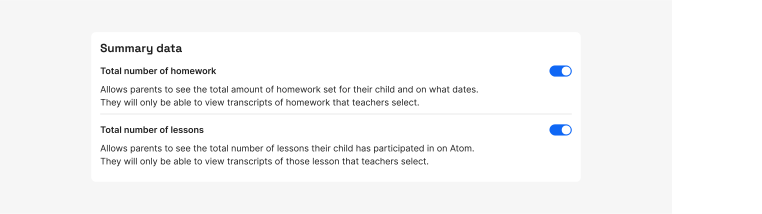
Switches used to turn on specific settings
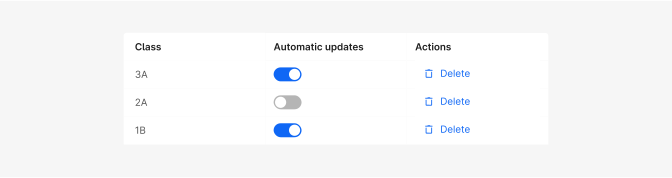
Switch inline with other components or content, in data table
Do's and Don'ts

Do
Switches are best for instant activation or deactivation.

Don't
Communicate selection (for that purpose checkbox will be better choice).

Do
Use labels if the context is not clear.

Don't
Use verb phrases related to activity states in a switch label. A switch is naturally either in a state of being on or off, so repeating in the label that something is “on” or “off” is redundant and clutters an interface.

Do
Use sentence case.

Don't
Use title case. Labels for switches should be written in sentence case unless they contain words that are branded terms.
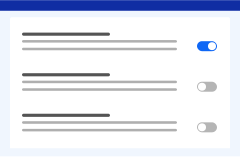
Do
Use switches to quickly activate needed functions.

Avoid
Using negative tone for labels.