
Overview
A component that represents data in a hierarchical or tree-like structure, where items are organized into parent nodes and child nodes.
Expand/Collapse: Users can often expand or collapse nodes to reveal or hide their child nodes, allowing them to navigate through the hierarchy efficiently.
Tree uses chevron icons to convey whether they have child nodes, are expanded or collapsed.
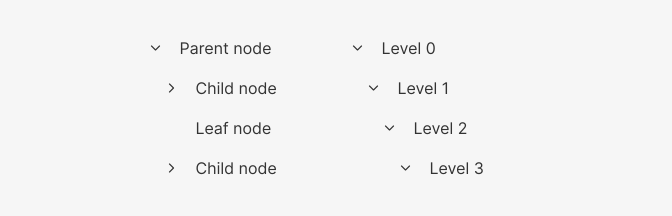
- Parent node: Tree item that contains other items
- Child node: Tree item within a parent node
- Leaf node: Tree item without children
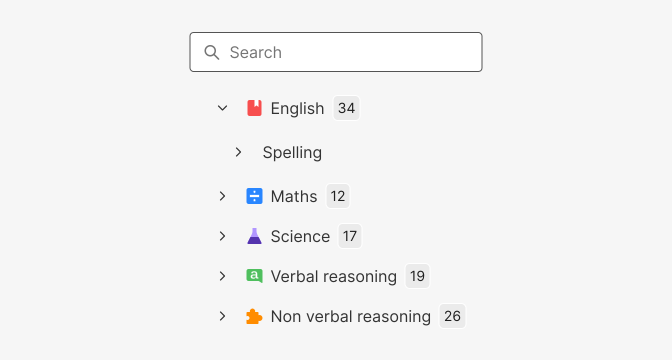
Trees can have the following elements:
- Search bar for searching items in the tree view.
- Badges for showing the number of child nodes in the tree view.
- Icons for visually representing the node types in the tree view.
When used with checkboxes see Checkbox Tree
Behaviour

The tree items offer the option to expand or collapse them, which can be achieved by either selecting the chevron icon or clicking on the text. However, when the items are designed to be selectable, clicking on the text active the selection status, and clicking on the chevron icon toggles the expansion state of the item.