
Overview
An avatar is a component that visually represents a user or entity. It helps to identify users or objects quickly.

For avatars representing the user, the user picture is displayed. If there is an error loading the src of the avatar, there are 2 fallbacks:
- If there's a name prop, we use it to generate the initials
- If there's no name prop, we use a placeholder image.
Anatomy

Image
A circular container with grey border that wraps an image of the user.
Initial
The user's name initial appear in the component's center with white background and border.
Icon
White background and border with an icon representing users or entities.
Behaviour
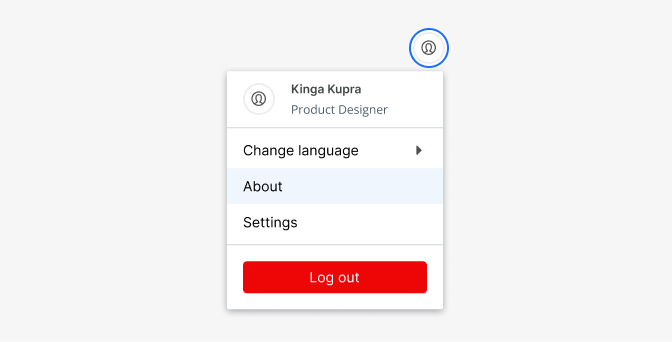
In addition to providing access to a user's profile, the Avatar can be used as a way to link a user to a specific set of data like for example an overlay menu.
Accessibility
Whenever you use an image to communicate a concept, it’s important to use descriptive alt text for accessibility because it allows screen readers to describe what’s in the image to people who may not be able to see it.
For avatars, we recommend using a format that describes what will show in the image:
- alt="Person’s name" if the avatar represents a person.
- alt="Product’s name" if the avatar represents a product.
- alt="" if the name of the person/product appears next to the avatar as text.
Usage
To provide context, avatars are often combined with status. Users usually upload their own images; otherwise, their initials appear.
Use:
- to display an avatar for a user
- profile images expand to 100% of their container width by default
- according to accessibility, it is important to remember to use descriptive alt text for avatars,
- automatically adjust avatar sizes based on the size of the screen circular avatars for quick identification
- a status indicator to indicate the presence for a single user
- avatars with badges to show reminders and notifications
- tap on the avatar to reveal its details on mobile.
Do's and Don'ts

Do
Use avatars with circular shapes

Avoid
To use avatars with square shapes

Do
Avatars can have different types; image, letter, icon

Don't
Use shadows or other decoration
Do
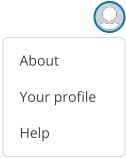
Use Avatars to navigate users to user profiles, or to associate users with a set of information.