
Overview
The topbar is a header component that allows users to search, access menus, and navigate. It should be easily accessible to the user so by default it’s always visible and fixed at the top of the interface.
Topbars display information and actions relating to the current screen. Since they are present in most pages of a product, it is paramount they are designed effectively.

Navigation topbar overview
When to use
The navigation topbar standarizes a shared navigation experience across products that allow users to move around the product quickly and efficiently. It enables users to orient and navigate different sections of applications reliably.
Atom offers two navigation options: top and side. To choose what’s right for you, you might consider first the information arquitecture and sitemap of your product.
Logo
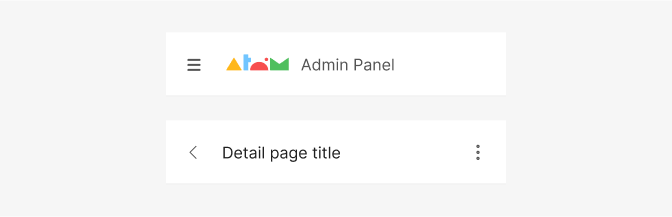
The Atom logo and the app name behave not only as branding touchpoints but also as landmarks and should therefore be applied consistently within all products and if possible in most pages to facilitate orientation. Detail pages on small devices don’t include the logo because of limitation of space.
Breakpoints
The topbar will adapt it’s content according to the different breakpoints. Consider the tools you need for your app and what’s the best way to display them in the different breakpoints. Here’s an example:Notice how, in this case, the navigation elements on the tabs in bigger breakpoints become hidden under the hamburguer menu in smaller devices. Also the search bar becomes an action button on small breakpoints.
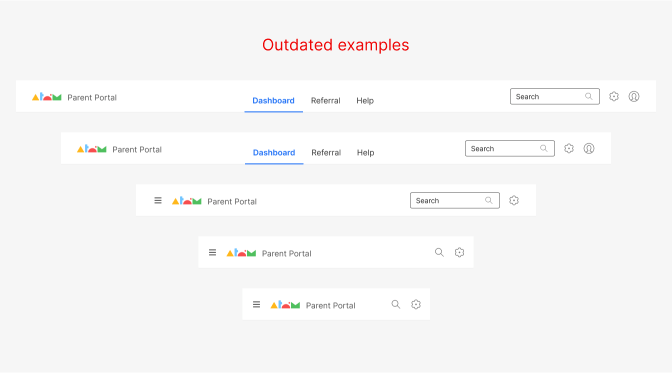
Image rescaled 50%
Do's and Don'ts
Do
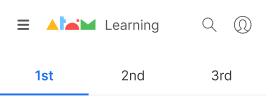
Organize the navigation and toolbar elements by hierarchy, following a information arquitecture’s structure.

Avoid
Using more than 3 tools in mobile as space is limited, use dropdown menu instead.
Do
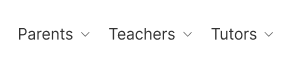
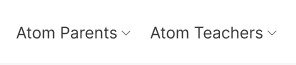
Keep navigation menu link labels clear and concise. Prefer max 1-2 word long labels.
Avoid
Avoid starting multiple menu link labels with the same word.