
Structure
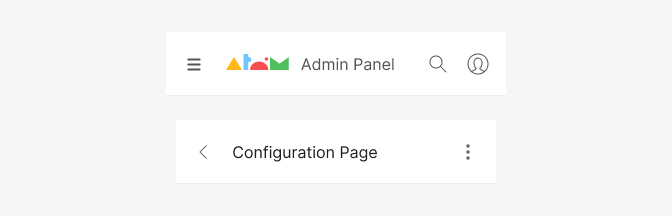
The topbar is a header component that allows users to search, access menus, and navigate. By default it’s always fixed at the top of the interface (sticky position).
The top bar contains a lot of important info and will be present throughout the whole user’s experience. Cluttering this area can make the app feel overwhelming. Therefore, it has a suitable height of 64px so that things can breathe and do not look squished.
By default the topbar takes up the full width of the viewport and the height is consistent through all different device sizes but it will adapt it’s content according to the different breakpoints.
The logo and product title can be turned into a link no navigate to the home or dashboard.
All components contained within the top navbar can be rearanged/positioned in any way.
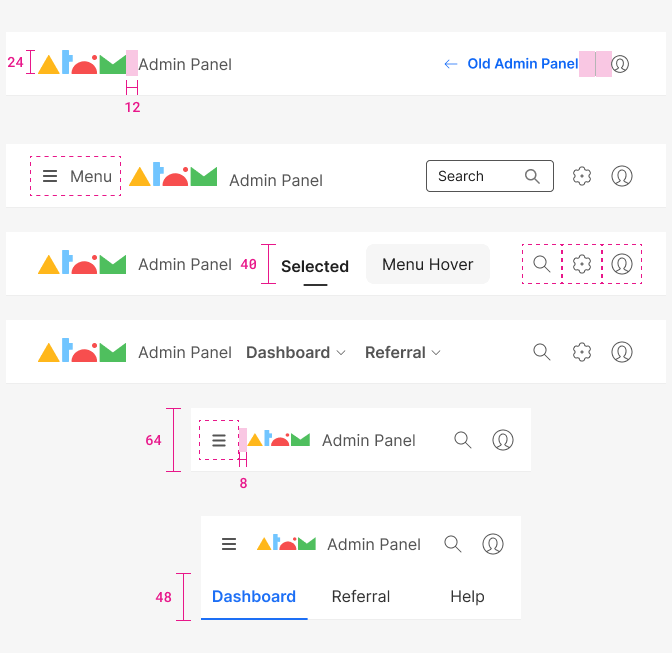
| Property - element | Token | px | rem |
|---|---|---|---|
| Height - Topbar | size $6 | 64px | - |
| Height - Logo | size $2 | 24px | 1.5 |
| Size - Action Icon | variant 'lg' | 40px | 2.5 |
| Distance logo - product name | space $3 | 12px | 0.75 |
| Distance burguer menu - logo | space $2 | 8px | 0.5 |
| Distance avatar - divider | space $4 | 16px | 1 |
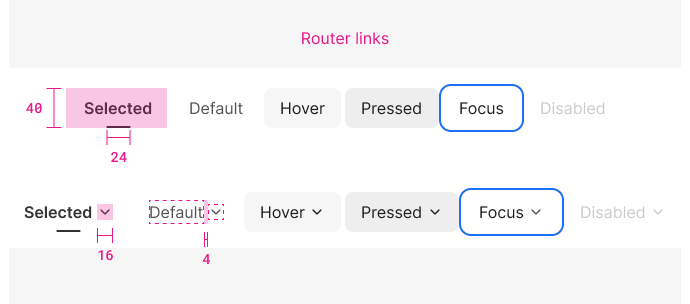
| Property | Token | px | rem |
|---|---|---|---|
| Height | size $4 | 40px | 2.5 |
| Distance between menu items | space $1 | 4px | 0.25 |
| Distance between menu & icon | space $1 | 4px | 0.25 |
| Selection line | size $2 | 24px | 1.5 |
| Icon size | size 'sm' | 16x16px | 1 |
| Border radious | radii $1 | 8px | 0.5 |
.
| Property & element | Token | Hex |
|---|---|---|
| Font color - men item default, focus, disabled | $grey800 | # |
| Font color - hover, pressed | $grey1000 | # |
| Bg color - hover | $grey100 | # |
| Bg color - pressed | $grey100 | # |
.
| Property & Element - State | Pixel | Color |
|---|---|---|
| Focus shadow - border (with 2px white gap) | 2px | $blue800 |
*Focus shouldn't persist on click and should only persist on tab focus, ect.
| Property & Element - State | value |
|---|---|
| Disabled: all elements | 30% opacity |
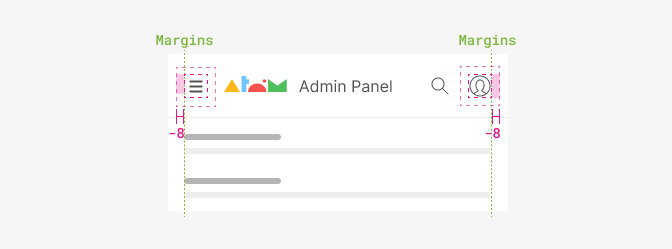
In order to align Action icons visually with the rest of the interface, when they are placed as the first or last element we rest 8px so that is the actual icon that is aligned and not the parent container. This is because the action icon has a margin itself
Scroll behaviour
The topbar is always fixed while scrolling down the page. This is the default option and very convenient in general, as it allows the user to access the navigation and tools at any point within the page.
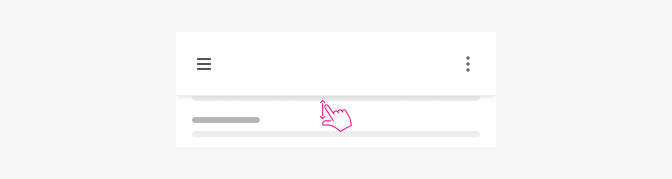
After scrool the topbar shows a subtle shadow indicating elevation and the content will scroll beneath.
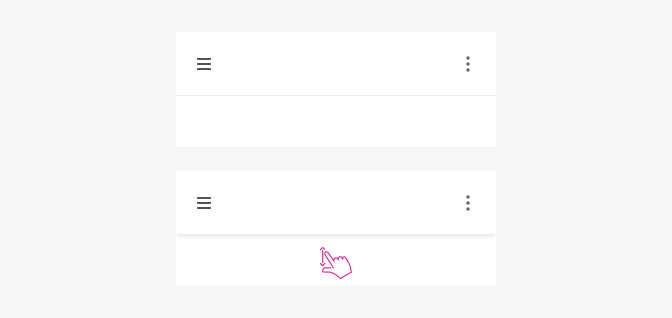
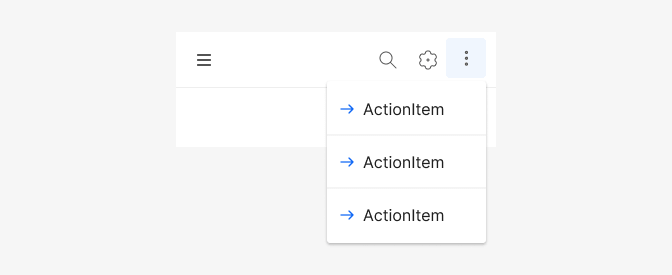
All actions besides the menu are right-aligned with a maxium of 3 actions. A kebab (3 dots) menu is also recommended to group actions when there’s enought options to keep the topbar uncluttered.
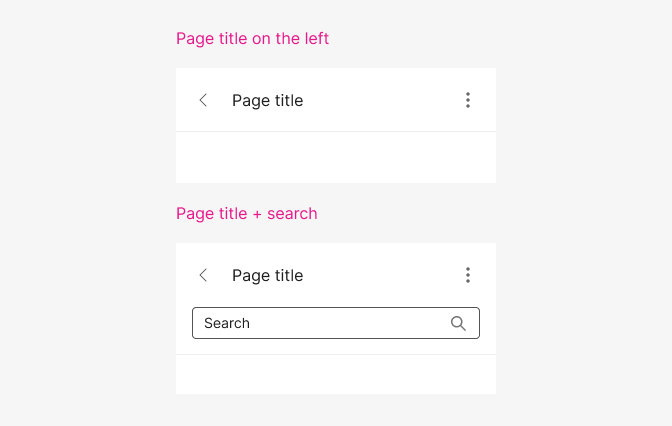
Detail page
In small devices the topbar changes a little bit once you navigate to a detail page. It displays the page title, page actions and a back button to go back to the previous page.
Typography
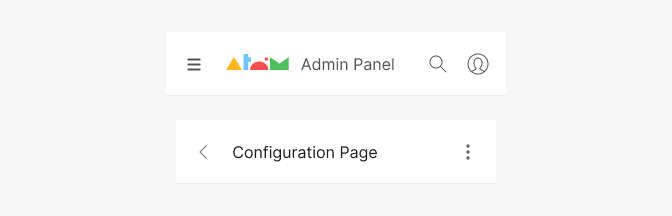
| Element | Family | Weight | Size | Rem | px |
|---|---|---|---|---|---|
| Page title | $body | 400 | $md | 1rem | 16 |
| Product title | $body | 400 | $md | 1rem | 16 |
Color
| Property & Element - State | Token | Hex |
|---|---|---|
| Font color - Product title | $grey800 | # |
| Font color - Page title | $grey1000 | # |
| Divider | $grey200 | # |
| Bg color - Topbar | $white | # |
| Color - Default - Action icon | $grey800 | # |